How to turn your classroom sketches into editable objects instantly
A 30-minute session with Nick DeMello, Ph.D., featuring a live Comak demo. See how hand-drawn STEM content becomes slide-ready in seconds.
What is Comak?
Comak turns photos of hand-drawn content — whiteboards, paper sketches, ink diagrams — into fully editable digital objects. Upload a photo, and Comak returns a clean, vector-based version you can drop into PowerPoint, Google Slides, Keynote, Canva, or Lucidchart. Every line, label, and shape is individually selectable and editable.
Featured Speaker

Nick DeMello, Ph.D.
Chemistry Teacher, Stanford Online High School
Nick received his chemistry B.S. from UC Berkeley and Ph.D. from the University of Pittsburgh, where he worked with Dennis Curran. He completed postdoctoral quantum chemistry research with Ken Houk at UCLA. His work has been published in the Journal of the American Chemical Society and Science Magazine. A founding member of the UCLA Center for Digital Innovation, Nick has over 20 years of experience teaching chemistry and developing digital learning tools.
Read full bio →Agenda 30 minutes
The teaching workflow
Nick shares how he uses hand-drawn content in a real classroom — and why the gap between sketch and slide has been such a persistent pain point for STEM teachers.
Live Comak demo
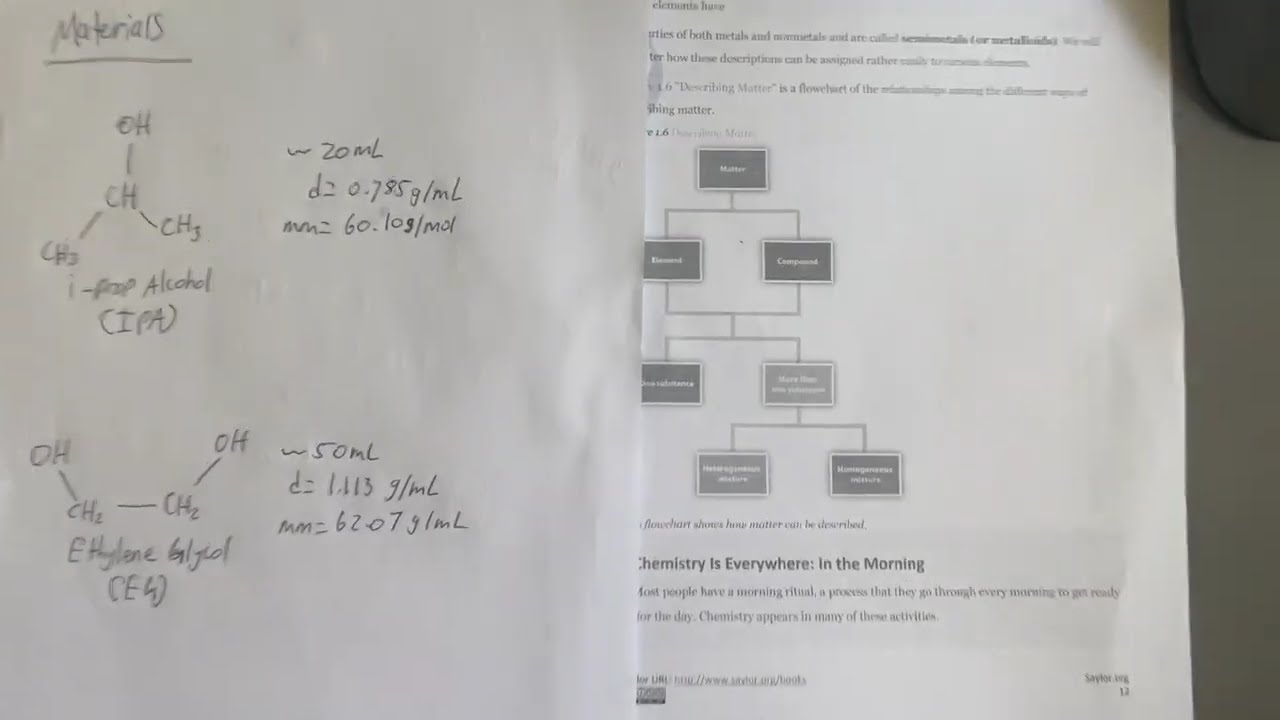
A live walkthrough turning a hand-drawn sketch and a textbook photo into editable, slide-ready content — molecular structures, reaction diagrams, and more.
Q&A
Open questions — ask about workflows, file formats, subject-specific use cases, or anything else.
Who this session is for
Join the session
See how Comak turns classroom sketches into editable slides — live, in 30 minutes.